We use Paypal to process credit
card payments because they have low fees for charities
and there is no minimum monthly payment.
However, some people find it difficult to navigate their system.
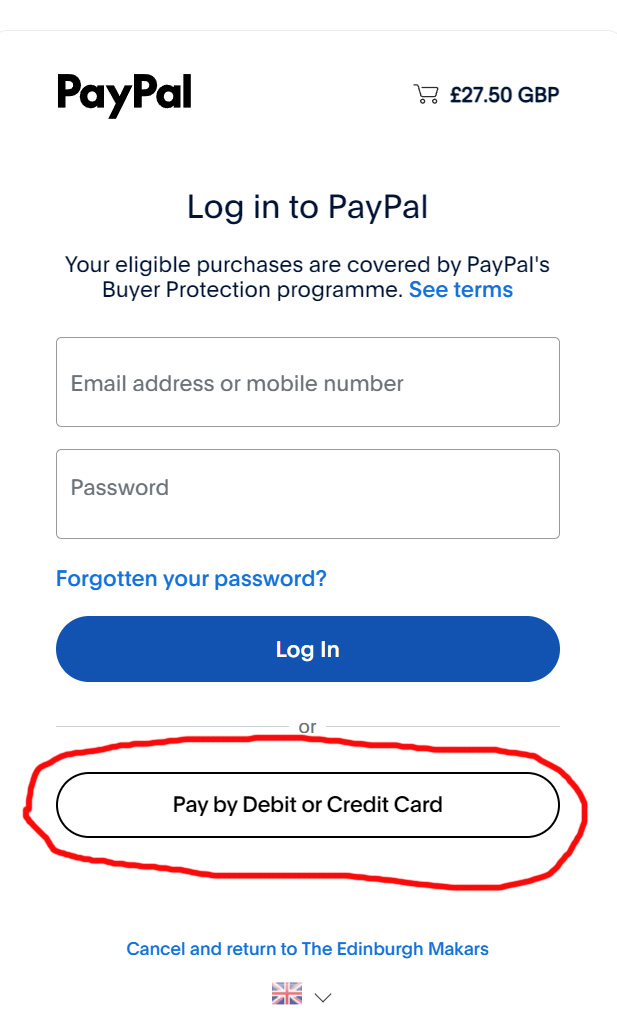
When you press the PURCHASE button on our website, you should be taken
to the Paypal login screen. If you have an account,
the simplest thing is to log in and then indicate you want to pay by
credit card.
You may have forgotten your login details or have difficulty with the
secondary verification.
In that case, select the option at the bottom of the screen to pay by
debit or credit card. You should also do this
if you do not have a Paypal account.
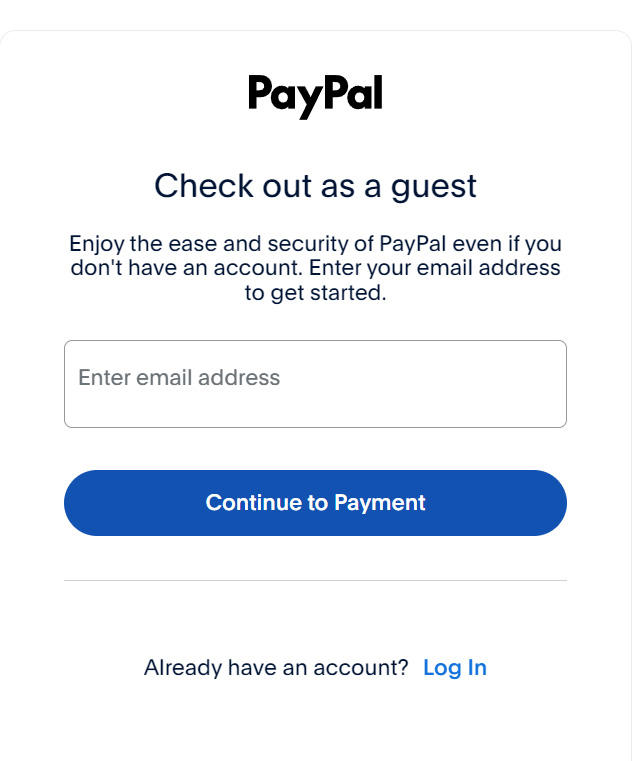
You will then be asked to supply an email address (this
may appear automatically)
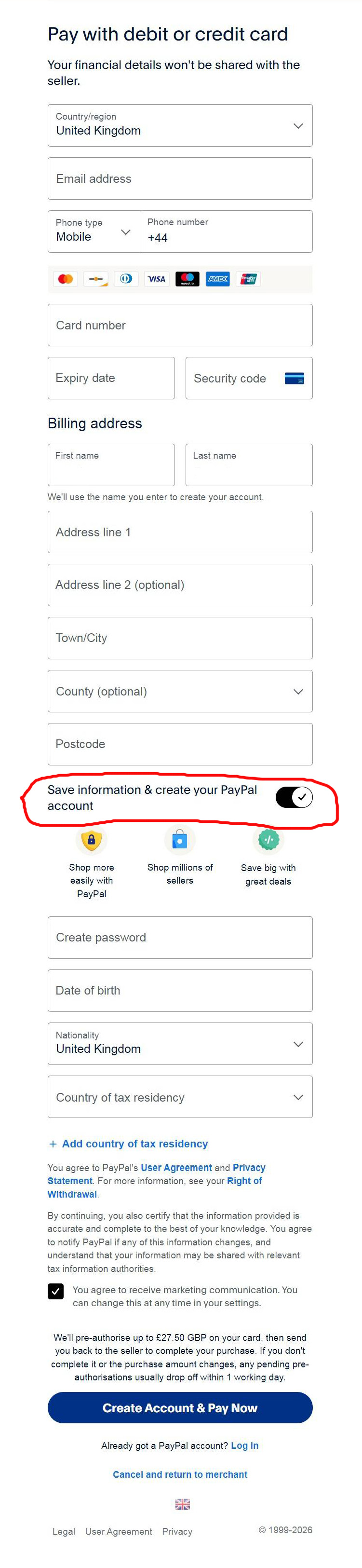
You then come to a long page where you enter your credit
card details.
By default, Paypal wants you to open an account. This is not necessary.
Look for the button below your address that says "Save information and
create your PayPal account". Turn this button off. Once
you have turned this button off, you will be able to pay
without creating a Paypal account.
If you are still having difficulty, please email
edinburghmakars@gmail.com, preferably with screenshots.